Visibility for businesses is no longer limited to exterior signage, printed posters, or traditional advertising spaces. As customer attention spans become shorter and competition in physical environments grows stronger, showing the right message at the right moment has become increasingly important. That is why stores, restaurants, hotels, hospitals, educational institutions, transportation hubs, shopping malls, and corporate spaces are investing more in digital display technologies.
At the center of this transformation is digital signage. Digital signage is a professional visual communication system that enables businesses to manage advertising, campaigns, information, wayfinding, menus, announcements, and brand content through digital screens. Unlike traditional printed materials, digital signage content can be updated instantly, broadcast across screens in different locations at the same time, and controlled through a centralized content management platform.
Today, digital signage does not simply mean “placing an advertisement on a screen.” For modern businesses, it is a strategic digital communication infrastructure that improves customer experience, supports sales, accelerates operational processes, and strengthens brand perception.
For businesses that want to build a powerful, manageable, and scalable screen communication network in corporate and commercial spaces, digital signage solutions transform physical environments into more effective, dynamic, and measurable communication areas.
Digital signage is a system that uses digital screens, media players, content management software, and network connectivity to publish visual content on selected displays. These systems may consist of a single screen or a large network structure where hundreds or even thousands of screens are centrally managed across different locations.
A digital signage system usually includes a digital screen or professional display, which is the physical visual surface seen by customers or users. A media player delivers the content to the screen. Digital signage software or CMS is used to upload, schedule, publish, and manage content. Network connectivity enables data transfer from the central platform to the screens.
With this structure, businesses can update campaigns, announcements, product promotions, menus, wayfinding information, or corporate messages without manual intervention. For example, a restaurant can publish its breakfast menu in the morning, lunch campaign at noon, and special dinner menu in the evening on the same display. A retail chain can launch the same campaign simultaneously across all store screens.
The strongest advantage of digital signage systems is centralized content control. This helps businesses save time and maintain consistent brand messaging across all locations.
Visual communication is one of the most effective ways to communicate with customers in physical spaces. People respond faster to dynamic, bright, motion-based, and contextually relevant content. Although traditional posters and printed materials may still be useful in certain cases, they are often insufficient for today’s fast-changing campaign, stock, price, and announcement structures.
Digital signage gives businesses flexibility. Content does not need to be designed, printed, distributed, and physically replaced days in advance, as with printed materials. When a campaign ends, the screen content can be changed within minutes. An urgent announcement can be published instantly. Time-specific messages can be scheduled. Screens in different cities can be managed from a single central platform.
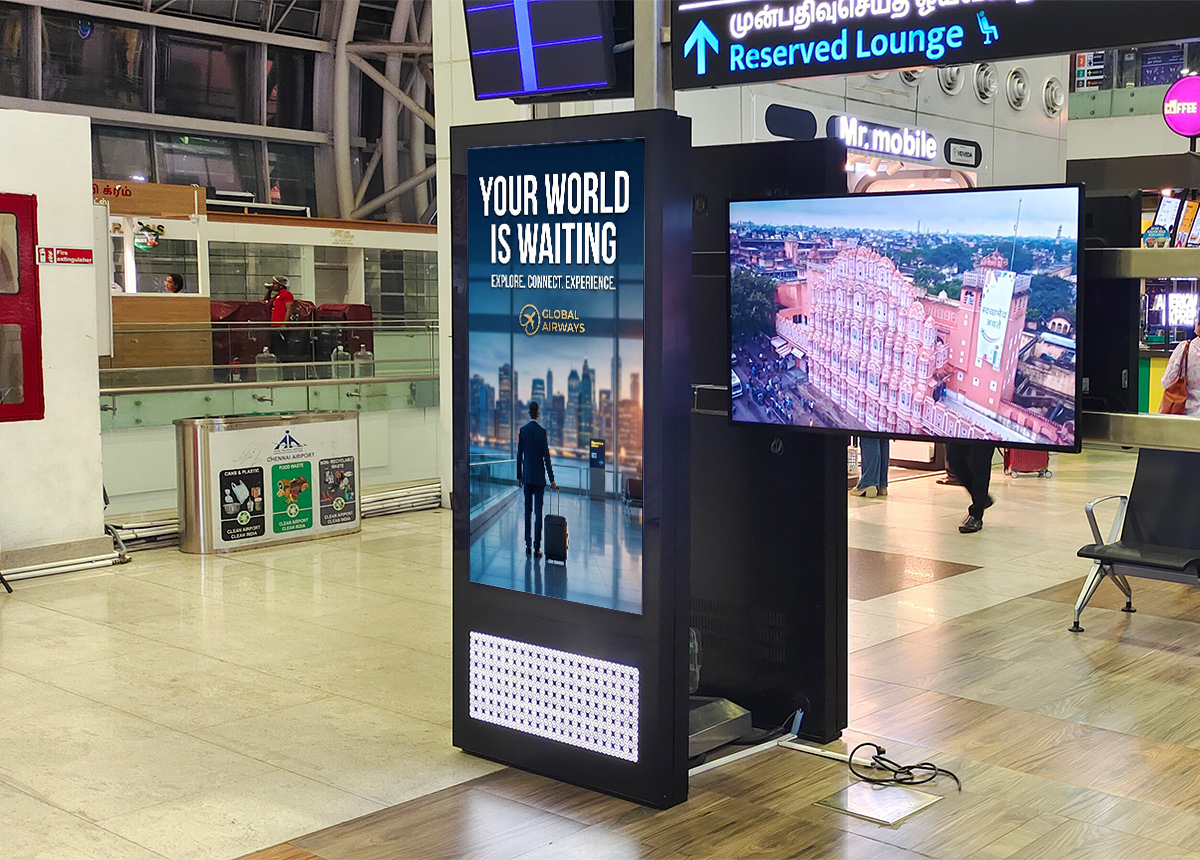
These features make digital signage not only a marketing tool but also an operational communication tool. A hospital can display queue and wayfinding information in waiting areas. A hotel can publish event schedules in the lobby. A shopping mall can guide visitors to stores. A factory can share internal announcements with employees through display screens.
A properly designed digital signage infrastructure enables a business to communicate faster and more effectively with customers, employees, and visitors.
Digital signage systems work mainly through content management and publishing. A business uploads the visual, video, text, animation, product promotion, or announcement it wants to display into the content management panel. Then it schedules where, when, and in what order the content will be shown.
Thanks to centralized management, content is not physically uploaded to screens one by one. Instead, it is transferred to displays through the internet or a local network. This structure is especially valuable for multi-location businesses because there is no need to send USB drives to each branch, wait for staff to update content, or manually check every screen.
Digital signage software may include functions such as content upload, broadcast scheduling, screen grouping, location-based content management, horizontal and vertical display support, split-screen broadcasting, video and image playback, campaign planning, remote screen control, device status monitoring, and reporting.
These functions allow businesses to manage screen networks more professionally. For example, different campaigns can be shown in Istanbul stores and Ankara stores. Restaurants can automatically switch between breakfast and dinner menus. Corporate offices can display meeting announcements at specific times.
The success of a digital signage system does not depend only on screen quality. What truly powers the screen is the software and content management infrastructure behind it. No matter how good the display is, if the content is outdated, the broadcast plan is poorly managed, or the management panel is difficult to use, the system will not deliver the expected performance.
A CMS, or content management system, is the brain of digital signage infrastructure. Through this panel, content is uploaded, broadcast flows are created, screen groups are managed, and campaigns are scheduled. In cloud-based systems, users can control their screen network from anywhere with an internet connection.
Imagine a retail chain with screens in 50 different cities. If the campaign visual changes, manually updating every screen creates a serious operational burden. With a centralized CMS, the campaign is uploaded once and published across selected screen groups. This saves time and ensures consistency in brand communication.
Digital signage software also makes broadcast scheduling easier. Certain content can be shown only on weekends, during specific time intervals, or in selected locations. This gives businesses a more targeted and strategic communication capability.
Digital signage solutions create value for businesses in many ways. The first benefit is visibility. Dynamic screen content attracts more attention than static posters. Motion graphics, videos, and bright displays are powerful tools for capturing customer attention.
The second benefit is updateability. When printed posters change, design, printing, logistics, and installation are required again. With digital signage systems, content can be updated quickly through a central panel. This feature is especially critical for businesses that run frequent campaigns.
The third benefit is cost efficiency. Although there is an initial investment cost, digital signage reduces printing, distribution, and manual replacement costs in the long term. It also reduces operational workload for staff.
The fourth benefit is brand consistency. In multi-location structures, maintaining the same quality and message standard in every location can be difficult. Digital signage standardizes brand communication through centralized control.
The fifth benefit is customer experience. Customers who see the right message at the right time can discover products more easily, become aware of campaigns, and navigate spaces more comfortably. This positively affects sales and satisfaction.
The sixth benefit is measurability. Advanced systems can track which content was published, when it was displayed, which screens were active, and how campaign plans were executed. This enables more efficient marketing decisions.
Digital signage has a wide range of use cases. Although each industry has different needs, the common goal is the same: to communicate with the target audience more effectively, quickly, and visually.
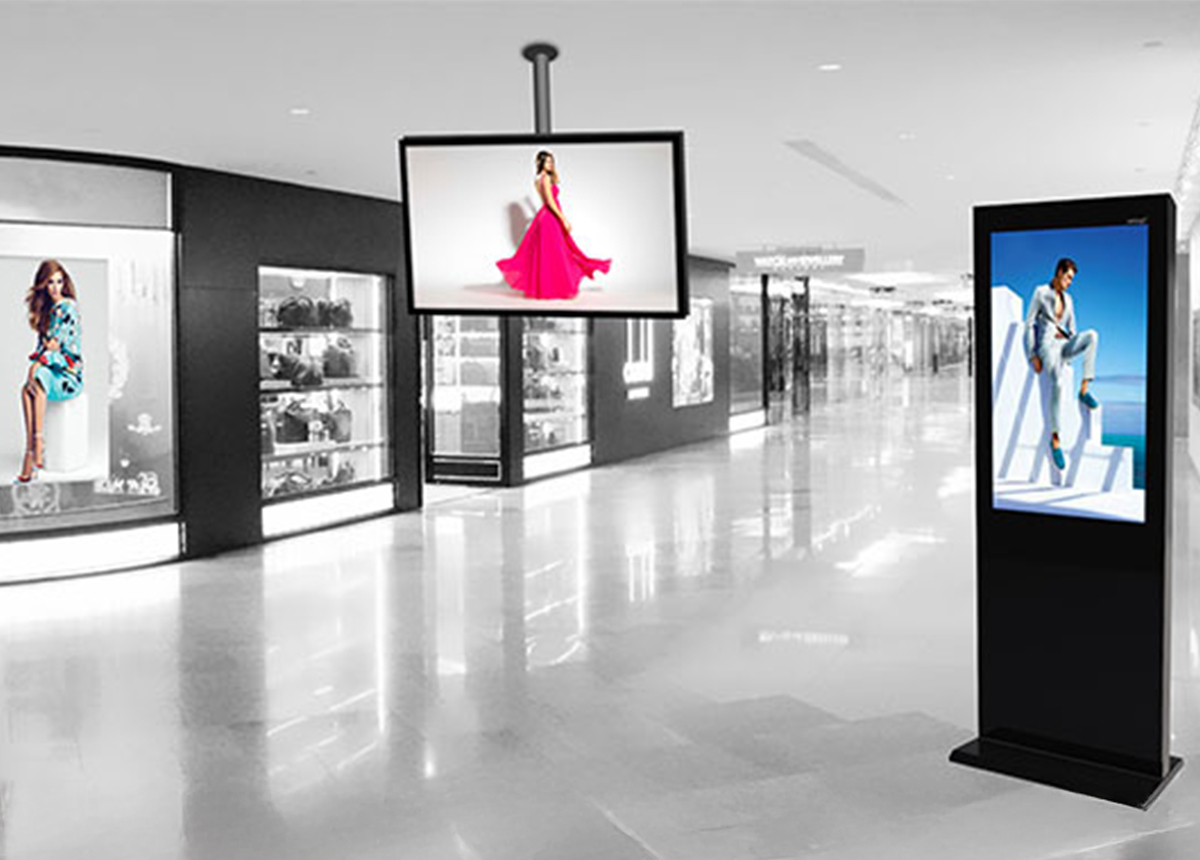
In retail stores, digital signage can be used for campaign announcements, product promotions, category guidance, seasonal messaging, and brand storytelling. Large screens at store entrances attract attention, while screens placed between aisles support purchase decisions.
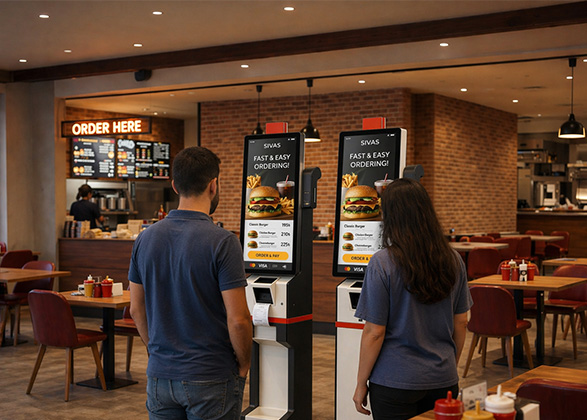
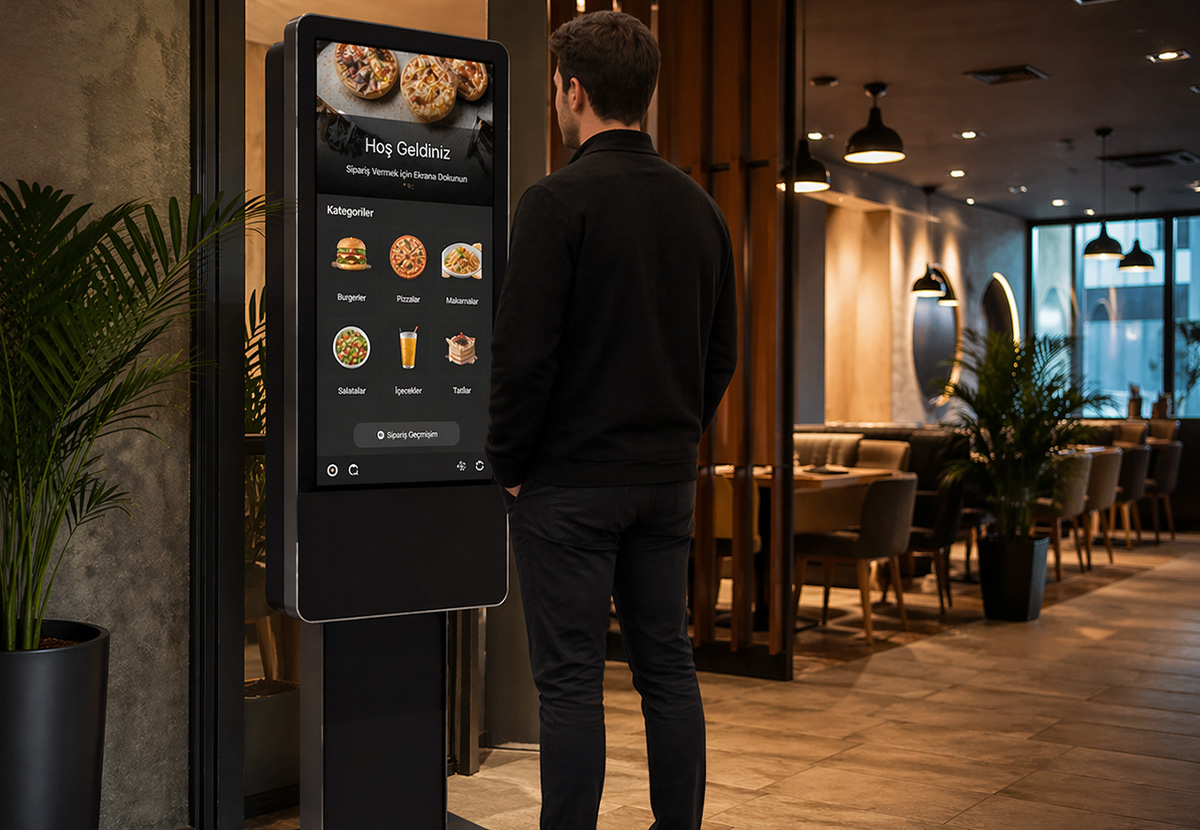
In restaurants and fast-food businesses, digital signage is used as a menu display. Digital menu boards make it easy to update prices, product visuals, campaigns, and menu content. Breakfast, lunch, and dinner menus can automatically be displayed at different times of the day.
In shopping malls, digital signage is preferred for wayfinding screens, event announcements, store promotions, and advertising areas. Visitors can find stores more easily, while mall management can increase advertising revenue.
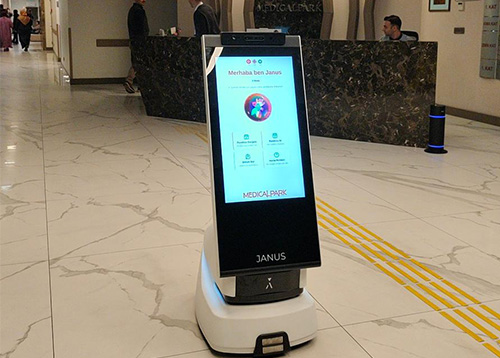
In hospitals and healthcare institutions, digital signage can be used for queue information, doctor directions, department introductions, health information, and urgent announcements. This creates a more organized experience for patients and visitors.
In hotels, digital signage can be used for lobby screens, meeting room directions, event schedules, restaurant menus, and brand promotions. In corporate spaces, it can be used for employee announcements, performance dashboards, meeting information, and internal communication messages.
In educational institutions, digital signage systems can display class schedules, event announcements, campus wayfinding, and emergency information. In transportation areas, it is a powerful communication channel for departure information, directions, advertising, and safety announcements.
Retail is one of the strongest areas of digital signage usage. Attracting customer attention inside the store, communicating campaigns, and accelerating purchase decisions are extremely important.
When a customer enters a store, they encounter dozens of visual stimuli. Shelves, products, prices, campaign labels, staff directions, and other customers compete for attention. Digital signage screens create a strong focal point within this environment.
A campaign screen at the store entrance can direct customers to specific products. Screens in category areas can explain product features. Screens near the checkout area can highlight cross-selling opportunities. Digital displays in demo areas can show product use cases.
In retail, digital signage is not only advertising; it is a decision-support tool. Customers understand faster why they should buy a product, which campaign they can benefit from, and what value the brand offers. This effect is even stronger in highly competitive categories such as electronics, cosmetics, apparel, DIY stores, and fast-moving consumer goods.
Menu management in restaurants is a dynamic process. Product prices may change, stock availability may vary, menus may change depending on the time of day, or certain products may need to be promoted. With traditional menu boards, making these changes requires time, design, and printing costs.
Digital signage makes this process easier. Digital menu screens allow product images, prices, campaigns, and menu categories to be updated easily. A breakfast menu in the morning, a lunch offer at noon, and a special evening campaign can be automatically published at different times.
High-quality menu visuals can also increase appetite and purchase intent. Product photos, motion-based content, and short promotional videos can speed up ordering decisions. When used together with self-order kiosks, digital signage makes restaurant operations more efficient.
This structure is especially important for multi-branch restaurant chains. A campaign update made from the center can be reflected on all restaurant screens at the same time. This preserves price and campaign consistency.
Digital signage is not only useful in customer-facing areas; it is also a powerful tool for corporate internal communication. In large offices, factories, production facilities, plazas, and campuses, delivering information quickly to employees can be difficult. Announcements may be missed due to email overload, while printed notice boards quickly become outdated.
Corporate digital signage screens can be used to display instant announcements, company news, performance indicators, safety warnings, visitor welcome messages, and meeting information. Reception screens can welcome visitors, meeting room screens can show reservation details, and production areas can display occupational safety messages.
This use case makes internal communication more visible and effective. It also helps the company present a modern, technology-oriented, and organized corporate image.
One of the most common mistakes in digital signage projects is using consumer TVs designed for home use in commercial environments. Home televisions are designed for short-term viewing scenarios. Digital signage screens, however, usually operate for long hours, work under different lighting conditions, and require intensive use.
Professional display screens offer brightness, durability, operating time, connection options, and mounting flexibility suitable for commercial use. In some environments, screens may need to operate all day or even 24/7. For this reason, screen selection is critical to project success.
Professional screens may also support vertical and horizontal use, narrow bezel options, high brightness, industrial connections, and remote management features. These features provide more stable and long-lasting performance in digital signage projects.
If the wrong screen is selected, image quality may decrease, device life may shorten, failure rates may increase, and brand perception may be damaged. Therefore, businesses should prefer professional display products for digital signage investments.
Hardware selection in digital signage projects should be based on the use case. In some projects, Android-based displays may be sufficient, while in others, Windows-based systems or external media players may be required.
Android display solutions usually offer practical installation, low maintenance needs, and application-based usage advantages. They can be suitable for simple campaign broadcasts, menu screens, and standard information areas.
Windows-based screens or players may be preferred for more advanced software requirements. Windows infrastructure can be advantageous for corporate integration, custom applications, database connections, or more complex content scenarios.
Android media players or industrial media players can be used to connect existing screens to a digital signage network. Media player selection is especially important for system performance in large screen networks. Criteria such as 4K content support, network connectivity, remote management, split-screen support, and operating temperature should be evaluated.
In a digital signage investment, the right hardware, the right software, and the right installation should be considered together. If one of these three elements is weak, system efficiency will decrease.
The success of a digital signage project is not limited to technical infrastructure. The content displayed on the screen determines the real impact of the system. Poorly designed, hard-to-read, overly long, or audience-inappropriate content will perform poorly even on powerful screens.
Effective digital signage content should be short, clear, visually strong, and contextually relevant. A screen at the entrance of a store should communicate the campaign within a few seconds. A restaurant menu screen should make product names, prices, and visuals easy to read. Wayfinding information in hospitals should be simple and understandable.
Content should use high contrast, readable fonts, proper visual hierarchy, and concise messaging. Viewing distance, lighting conditions, and whether the viewer is moving should be considered. For example, showing long text to a walking customer is not effective. A short campaign message and strong visual should be used instead.
Content should also be updated regularly. Repeating the same visual continuously reduces viewer interest. Content plans should be created according to campaigns, seasons, time of day, stock status, and target audience.
Modern customers do not interact with brands only in physical stores. Websites, mobile applications, social media, email, online ads, and physical stores are all parts of the same customer journey. Therefore, messages inside the store should be aligned with messages in digital channels.
Digital signage carries the omnichannel experience into the physical space. Online campaigns can be supported on store screens. Mobile app download calls can be displayed. Loyalty program offers can be announced through digital displays. QR codes can direct customers to product detail pages, campaign forms, or online ordering screens.
With this integration, digital signage becomes more than an in-store advertising tool. It becomes a bridge connecting online and offline customer experiences.
In-store digital transformation is not limited to large screens. Product and price information at shelf level is also an important part of the customer experience. At this point, electronic shelf label systems are one of the key technologies that complement the digital signage ecosystem.
While digital signage screens announce campaigns, electronic shelf labels support price and product information accuracy at product level. For example, a screen at the store entrance may display a “today-only discount” message, while the electronic shelf label shows the current price of the product. This allows customers to see screen messaging and shelf information consistently.
In retail structures where price changes are frequent, electronic shelf label systems can be positioned as the shelf-level complement of a digital signage strategy. This structure improves operational efficiency and strengthens price consistency between shelf and checkout.
Businesses planning a digital signage investment should first clearly define their needs. Is the goal only to display advertisements, manage menus, guide visitors, strengthen internal communication, or build a multi-location screen network? The answer directly affects hardware, software, and installation preferences.
Second, location analysis should be conducted. Where will the screen be placed? From what distance will viewers look at the screen? What are the lighting conditions? Will the screen be used horizontally or vertically? Is it an indoor or outdoor environment? These questions are important for screen size, brightness, and mounting decisions.
Third, the software infrastructure should be evaluated. Can content be managed centrally? Can broadcast schedules be created? Can screens be grouped? Is remote control and reporting possible? These features are critical for multi-location businesses.
Fourth, technical service and support should be considered. Digital signage systems are long-term operational infrastructures. Installation, maintenance, software support, device management, and fast intervention when needed determine the sustainability of the investment.
Fifth, content strategy should be planned. If it is unclear what will be displayed after screens are installed, the system will not work effectively. Campaign calendars, visual templates, brand language, and update responsibilities should be determined in advance.
Digital signage is not only a physical store technology; it is also a high-commercial-intent search term. Users searching for this keyword are usually looking for digital display systems, advertising screens, digital menu boards, in-store display solutions, or corporate screen infrastructure.
Therefore, blog content focused on digital signage creates a strong SEO opportunity to support product and category pages. However, the content should not remain only a definition-based article; it should provide internal links to the target page in the right context.
For example, linking directly to the target page while explaining the digital signage concept helps search engines understand that the linked page is an authority on this topic. In internal links, descriptive anchor texts such as “digital signage,” “digital signage solutions,” “corporate digital signage systems,” and “centrally managed digital signage displays” can be used.
To strengthen brand authority, a natural brand link should also be given to Unisign digital display and visual communication technologies. For users approaching conversion intent, a link such as contact Unisign to request a quote or demo for your digital signage project should be used near the end of the article.
This internal linking structure strengthens SEO signals and moves users from the information stage toward evaluation and contact.
In SEO, where the internal link points is important, but the text used for that link is also critical. If the target page is intended to rank for the keyword “digital signage,” the first strong internal link in the blog should use an exact-match or partial-match anchor text.
Strong anchor text examples include:
digital signage
digital signage solutions
corporate digital signage systems
digital signage display solutions
centrally managed digital signage solutions
in-store digital signage systems
professional digital signage displays
However, using the exact same anchor text for every link may look unnatural. For this reason, the main target page can be linked two or three times in the article using different variations. The first link can use the focus keyword, the second can use a more descriptive long-tail phrase, and the third can use a conversion-focused expression.
For example, “digital signage” can be used as the anchor text in the first section. In the middle of the article, “centrally managed digital signage solutions” can be preferred. In the conclusion, a conversion-focused link such as “request a solution for your digital signage project” can be used.
For a successful digital signage project, technology, content, and operations should be planned together. Simply purchasing screens is not enough. It is necessary to define where the screens will be placed, what content will be displayed, who will update the content, how the campaign calendar will be managed, and how the system will be measured.
The first step is goal setting. Does the business want to increase sales, improve customer wayfinding, make waiting time more useful, or strengthen brand perception? Each goal requires a different screen placement and content strategy.
The second step is selecting the right product. Professional displays, Android displays, Windows-based screens, media players, LED screens, or kiosk integrations should be evaluated according to project needs.
The third step is software management. A centralized CMS infrastructure is essential, especially for multi-location structures. Quickly updating content, scheduling broadcasts, and remotely controlling screens improves operational success.
The fourth step is content production. Digital signage content should be prepared according to screen format, viewing distance, and user behavior. Directly placing a social media visual on an in-store display does not always produce the right result. Screen content should be designed for its own context.
The fifth step is continuous optimization. Businesses should track which campaigns are more effective, which screen positions attract more attention, and which content performs better. Digital signage is a living system; after installation, it should be regularly updated and improved.
In the future, digital signage systems will become smarter, more integrated, and more personalized. Screen content will not change only according to fixed broadcast plans, but also according to data-driven scenarios. Weather, time of day, stock status, customer density, location, and campaign performance can all influence screen content.
For example, beverage campaigns can be highlighted on a hot day. Short, decision-driving messages can be displayed during peak hours. Overstocked products can be promoted more frequently on screens. Restaurants can change menu flows based on time of day. Corporate spaces can send urgent announcements instantly to all screens.
Digital signage systems combined with artificial intelligence and data analytics will become a more strategic marketing and communication tool for businesses. That is why a properly planned infrastructure investment today creates the foundation for more advanced digital experiences in the future.
Digital signage is a powerful technology that enables businesses to communicate more effectively, dynamically, and manageably in physical environments. It supports sales in stores, simplifies menu management in restaurants, improves wayfinding in shopping malls, organizes information in hospitals, and strengthens internal communication in corporate areas.
For a successful digital signage investment, professional displays, the right media player, centralized content management software, strong technical support, and an effective content strategy should be considered together. With this holistic approach, screens stop being simple display devices and become the center of a brand’s digital communication with customers, visitors, and employees.
If you are looking for a professional solution for your store, restaurant, corporate space, or multi-location screen network, Unisign’s digital signage solutions can help you build a centrally managed, effective, and scalable digital display infrastructure.
To determine the most suitable screen, software, and implementation model for your project, you can contact Unisign and request a quote or demo for your digital signage solution. Click for all digital signages.
 Türkçe