What is Digital Signage and Why is it Preferred?

24/7 Support
24/7 Support

We are always by your side whenever you need us. With our professional support team, we provide fast solutions.

Reliable Service
Reliable Service

With our customer satisfaction-oriented approach, we have succeeded in being a trusted brand in the industry for many years.

Professional Solutions

With our experienced team, we provide innovative and professional solutions tailored to the needs of your business.

Award-Winning Achievements

With our innovative projects and the values we have added to the industry, we have been honored with numerous awards.


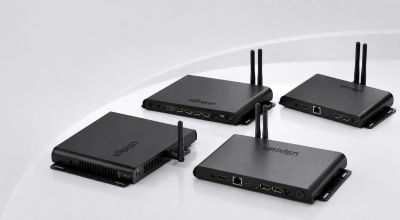
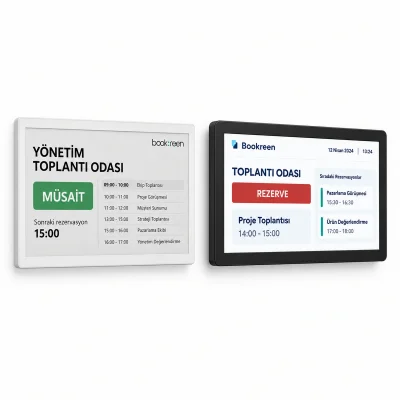
Digital signage is a digital display and content management system used across a wide range of applications, from in-store screens and airport wayfinding displays to restaurant menu boards and corporate communication screens. When combined with digital display and industrial display solutions, digital signage systems enable businesses to centrally manage advertising, information, wayfinding and corporate communication content. Unlike traditional printed materials, content can be updated remotely in real time, distributed simultaneously across multiple screens and scheduled according to specific target audiences.

Centralised Management with Unisign Digital Signage Software

With Unisign’s cloud-based CMS (Content Management System), you can manage your entire digital display network from a single platform, update content within seconds and schedule broadcasts in advance. In addition to Android- and Windows-based professional displays, industrial display systems designed for long operating hours and intensive use can also be integrated into the central content management infrastructure. Even when an internet connection is unavailable, offline mode support helps maintain uninterrupted playback, while API integration enables connectivity with existing ERP and POS systems.

Request a demo to set up a digital signage system or upgrade your existing display infrastructure, or download our product catalog for free.

What is Digital Signage and Why is it Preferred? Frequently Asked Questions
    • Digital signage is a professional display system that enables the broadcasting of advertisements, information, and promotional content through digital screens. With this technology, brands can communicate with their target audiences in a dynamic and real-time manner.
    • While a digital screen refers to the hardware that displays images and content, digital signage is a broader system encompassing the preparation, planning, and centralized management of the content displayed on these screens. Digital signage infrastructure requires professional expertise.
    • Industrial displays are professional display solutions developed with long operating times and intensive usage conditions in mind. In digital signage projects, they provide continuous information and advertising in environments such as shops, manufacturing facilities, transportation hubs, corporate buildings, and similar settings.
    • Industrial display solutions can be utilized in a wide range of projects requiring information displays, such as production areas, factories, logistics centers, transportation hubs, retail stores, restaurants, and corporate buildings. Depending on the specific application, options such as touchscreens, high-brightness displays, or models suited to various operational duty cycles can be considered.
    • Review sample content at its intended display size. Check small text, prices and logos from the furthest viewing position, and match the layout to the screen aspect ratio. Brightness alone does not determine readability: ambient light, reflections, contrast and text size also matter. Share sample content and the viewing distance before choosing a model.
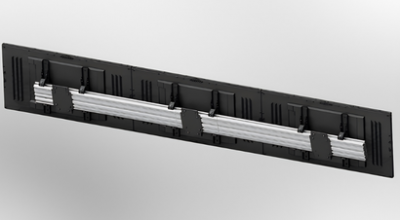
    • Check the display dimensions, weight and any mounting pattern listed in the specification. The bracket load capacity must suit both the equipment and the mounting surface. Allow access to power and video cables, ventilation openings and maintenance points. Before installation, confirm that the chosen model supports the intended landscape or portrait orientation.
    • List the screen size, ambient light and content source at each location. If the same model will be used across sites, check that mounting orientation, connections and operating conditions are suitable everywhere. For central content updates, identify the existing software and network. Compare quotations with hardware, media players, software licences and mounting listed separately.