 Türkçe
Powerful Digital Display Experience with Professional Display Solutions


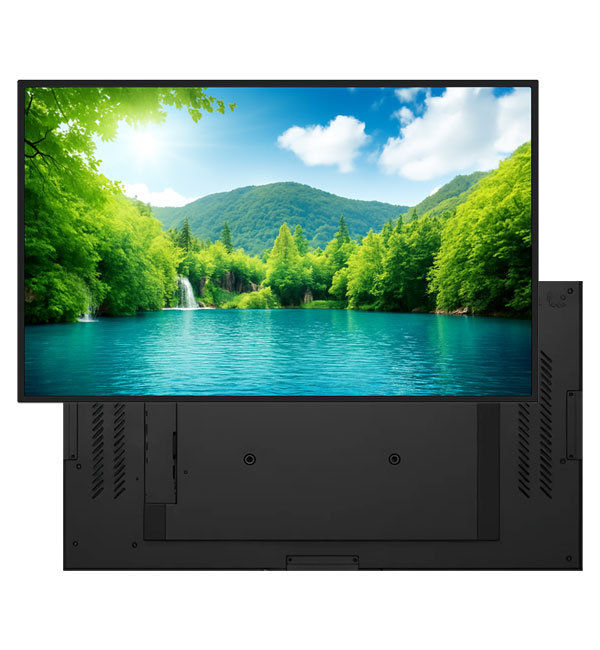
Today, professional display solutions play a critical role in enabling brands to communicate effectively with their target audiences. Unlike traditional screens, professional display systems are specifically designed for long-term use, high performance, and uninterrupted operation. Thanks to these screens, businesses can deliver their messages in a clearer, more eye-catching, and more effective way.
The Importance of Professional Display Systems
In the digital transformation era, visual communication is one of the most important elements that directly impacts brand perception. Professional display screens provide businesses with strong advantages both operationally and in terms of marketing.
Unisign professional display screens are available in Full HD (1920×1080) and 4K (3840×2160) resolution options, with various sizes ranging from 32" to 98". With brightness levels between 700 nits and 2500 nits and a wide 178° viewing angle, they deliver superior image quality in both bright storefronts and low-light environments. All models are covered by a 3-year on-site service warranty.
-
- Professional display solutions are actively used across various sectors such as retail stores, shopping malls, hospitals, and corporate offices. These screens strengthen visual communication and help brands reach their target audience more effectively.
-
-
- Professional display screens are manufactured with industrial-grade components suitable for 24/7 operation, whereas standard screens are not designed for continuous use. As a result, professional display systems offer a more durable, stable, and high-performance solution.
-
-
- Professional display solutions enable dynamic content presentation, increasing customer engagement and enhancing brand awareness. At the same time, centralized management allows for quick content updates, improving operational efficiency.
-
-
- Review sample content at its intended display size. Check small text, prices and logos from the furthest viewing position, and match the layout to the screen aspect ratio. Brightness alone does not determine readability: ambient light, reflections, contrast and text size also matter. Share sample content and the viewing distance before choosing a model.
-
-
- Check the display dimensions, weight and any mounting pattern listed in the specification. The bracket load capacity must suit both the equipment and the mounting surface. Allow access to power and video cables, ventilation openings and maintenance points. Before installation, confirm that the chosen model supports the intended landscape or portrait orientation.
-
-
- List the screen size, ambient light and content source at each location. If the same model will be used across sites, check that mounting orientation, connections and operating conditions are suitable everywhere. For central content updates, identify the existing software and network. Compare quotations with hardware, media players, software licences and mounting listed separately.
-
-
- Examples from the current specification tables of models in this category: Poster 21.5″ Professional Monitor: resolution 1920x1080, brightness 500. Poster 43″ Professional Monitor: resolution 1920x1080, brightness 700. Pro 11.6″ Professional Monitor: display size 11.6, resolution 1366x768, brightness 400 cd/m². Pro 13.3″ Professional Monitor: display size 13.3, resolution 1920x1080, brightness 300 cd/m². Pro 15.6″ Professional Monitor: display size 15.6, resolution 1920x1080, brightness 450 cd/m². Pro 18.5″ Professional Monitor: display size 18.5, resolution 1366x768, brightness 500 cd/m². Pro 21.5″ Professional Monitor: display size 21.5, resolution 1920x1080, brightness 500 cd/m². Pro 27″ Professional Monitor: display size 27, resolution 1920x1080, brightness 300 cd/m². Pro 55″ Professional Monitor: display size 55, resolution 3840 x 2160, brightness 800 cd/m². Pro 75″ Professional Monitor: display size 75, resolution 3840 x 2160, brightness 500 cd/m². These values apply only to the named models and should not be generalised to the entire range. Resolution, brightness and physical screen size describe different characteristics. Use the complete model code when comparing similar-looking products, and check operating conditions for your application separately. Refer to each product’s own specification table for connections, mounting and additional equipment.
-

