 Türkçe
 Outdoor V Totem
CATEGORIES
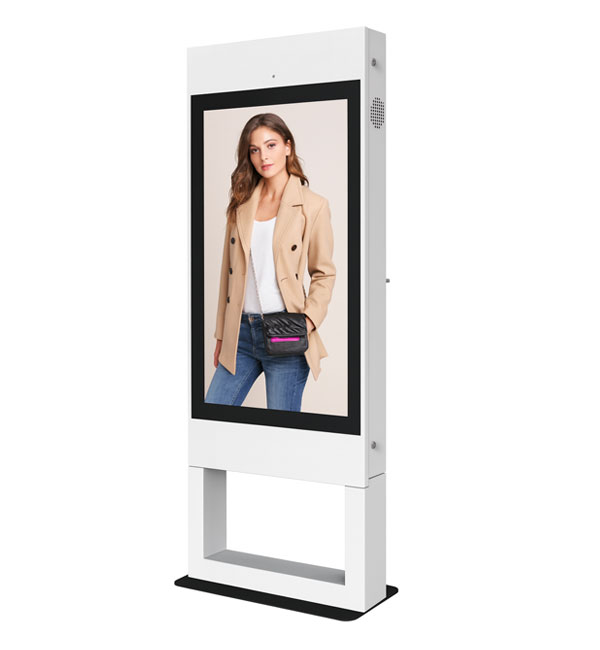
For a digital totem, consider floor space and visitor flow as well as screen visibility. Plan placement without obstructing routes, access to power and the content source. Select indoor or outdoor use according to the model’s stated operating conditions.
Outdoor V Totem Frequently Asked Questions
-
- Identify the viewing direction, viewing distance and available circulation space. Check enclosure dimensions, power access and maintenance clearance. Confirm the model’s suitability separately for outdoor installation. Start with the content and viewing distance. Information pages with detailed text and advertising layouts with large images have different display needs. Compare screen size, resolution, brightness and orientation together. Inputs should suit the existing content source, while the stated operating conditions should suit the installation location. Reflections from nearby lighting and access for maintenance also matter. Check the specification against the exact screen size that will be ordered.
-
-
- Share the model, quantity and installation location. Specify mounting, content playback or management software and any accessories separately so the hardware and service scope can be compared for your requirements. Consider the available installation space as well as the screen diagonal. A quotation request can include the intended task, daily operating hours, indoor or outdoor location and delivery destination. For multiple sites, list quantities and differing requirements separately so that model options can be compared. Identify any required connection or function that is not shown in the specification. This helps define a comparable equipment proposal rather than a screen price without the installation context.
-
-
- Review sample content at its intended display size. Check small text, prices and logos from the furthest viewing position, and match the layout to the screen aspect ratio. Brightness alone does not determine readability: ambient light, reflections, contrast and text size also matter. Share sample content and the viewing distance before choosing a model.
-
-
- Check the display dimensions, weight and any mounting pattern listed in the specification. The bracket load capacity must suit both the equipment and the mounting surface. Allow access to power and video cables, ventilation openings and maintenance points. Before installation, confirm that the chosen model supports the intended landscape or portrait orientation.
-
-
- List the screen size, ambient light and content source at each location. If the same model will be used across sites, check that mounting orientation, connections and operating conditions are suitable everywhere. For central content updates, identify the existing software and network. Compare quotations with hardware, media players, software licences and mounting listed separately.
-
-
- Options listed in this category include V Model 55″ Outdoor Totem. Start with the installation location and the task, then narrow the shortlist accordingly. Open each model page to check the complete product code and that model’s technical values. Listing images do not establish that all sizes or equipment options are identical. Record physical dimensions, connections, mounting format and stated operating conditions in a consistent order when comparing products. If the new equipment will be used with an existing system, provide those model details too. Share your preferred products and quantities so the options can be reviewed together; identifying additional equipment and installation requirements helps define the appropriate scope.
-

