Türkçe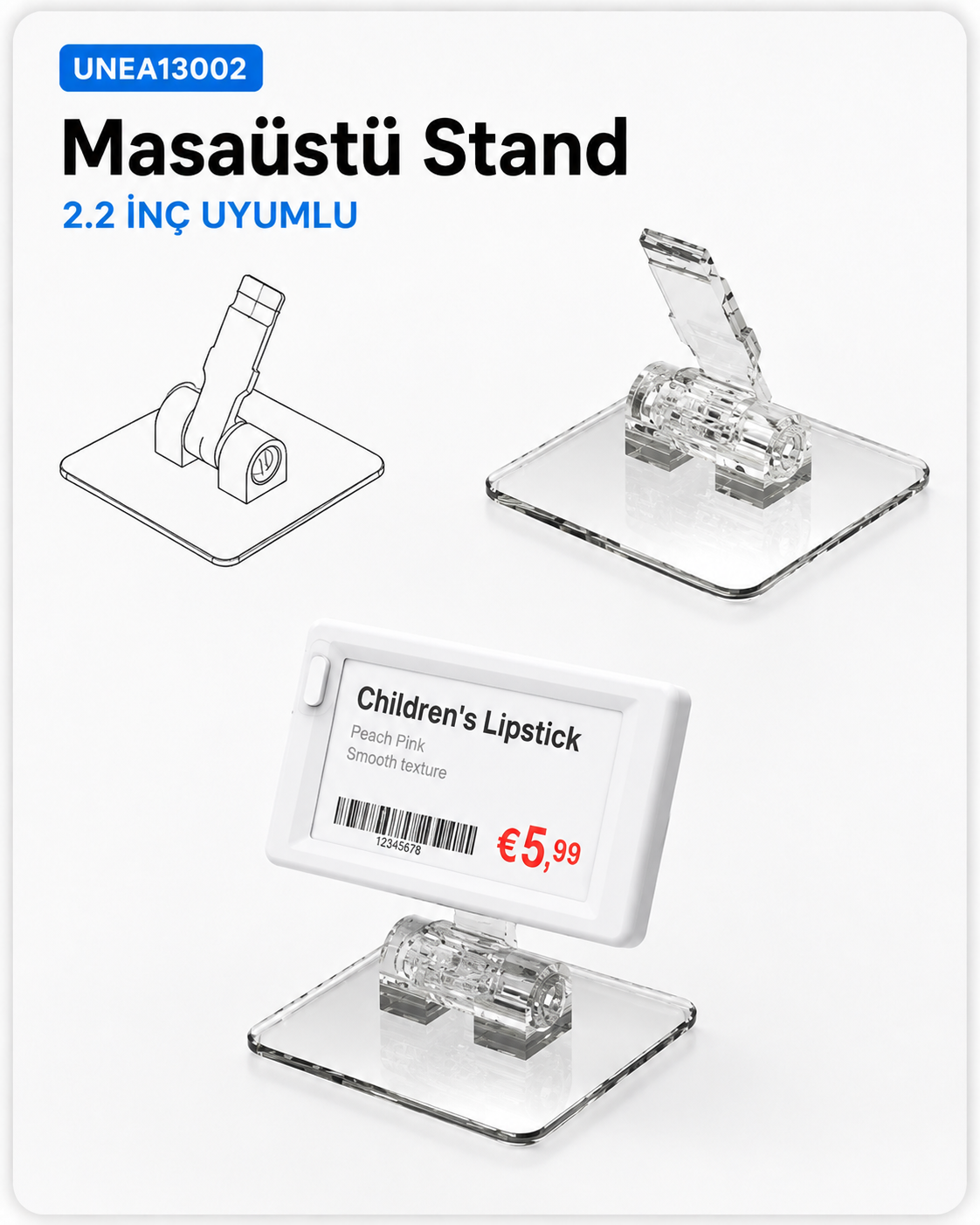
Table Stands and Display Supports
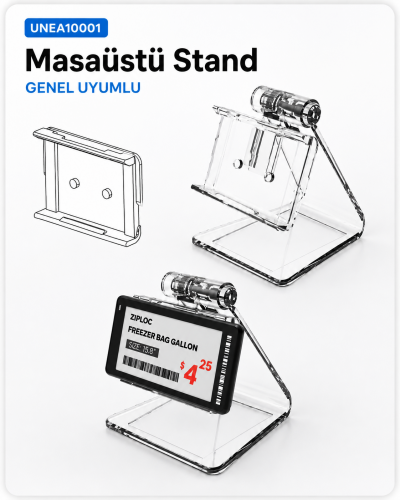
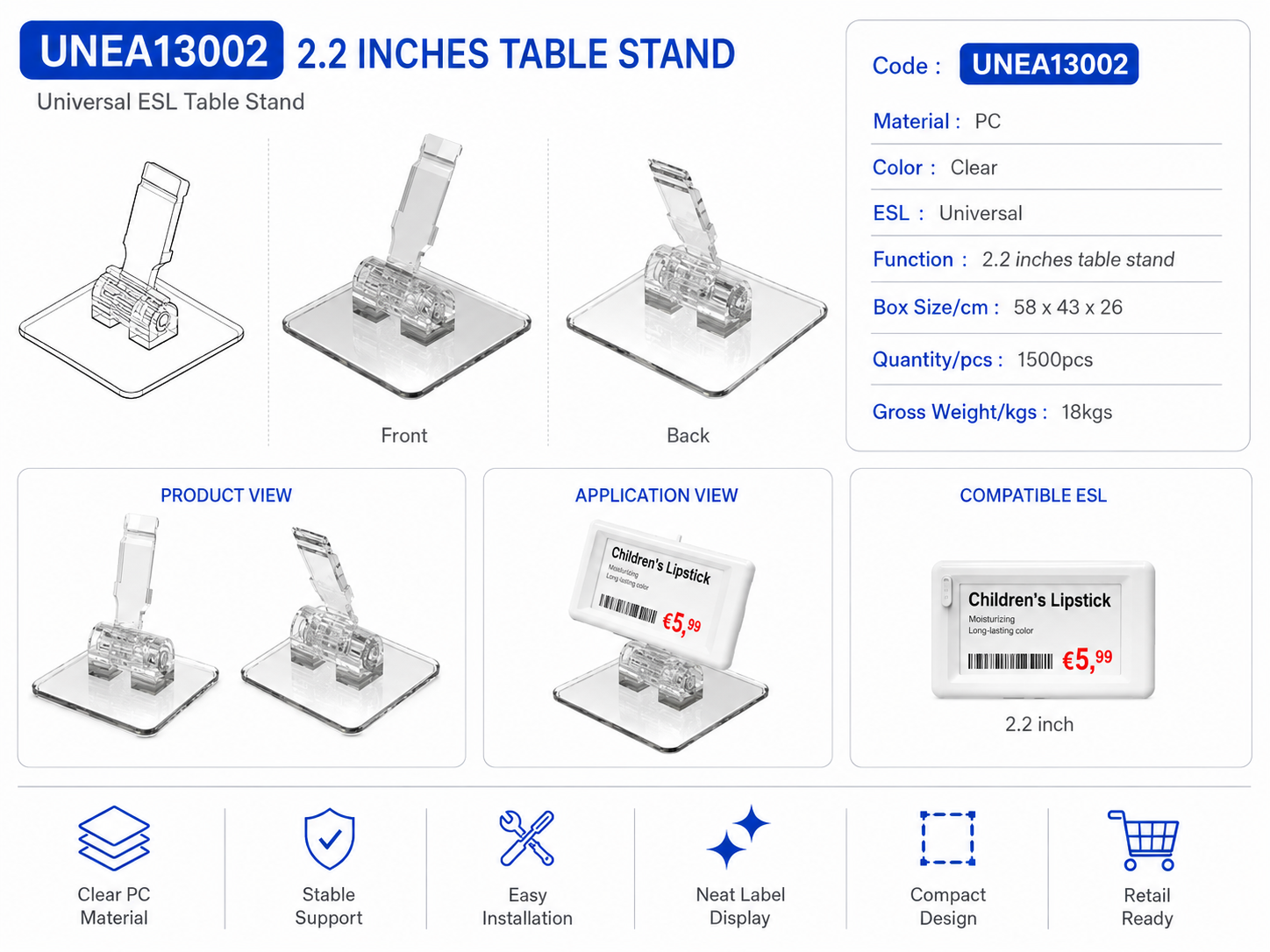
UNEA13002 is a clear table stand designed for neat and stable positioning of 2.2-inch electronic shelf labels on counters and display surfaces.
Choose accessories by the host product model and mounting-surface dimensions, not appearance alone. Share the product code, installation location and required quantity for a quotation. Confirm the fit against the intended product and mounting conditions before ordering.


UNEA13002 is a clear ESL table stand designed to position 2.2-inch electronic shelf labels neatly and visibly on counters and display surfaces. Its compact PC construction keeps the electronic label in focus while maintaining a clean and professional appearance. Universal ESL compatibility provides a practical and flexible support solution for various retail display setups.
Frequently asked questions
How can I check whether this accessory fits my product?
Provide the display or label model code and mounting-surface dimensions. Check the attachment method, holder dimensions and installation conditions together; similar appearance alone does not establish compatibility. Similar-looking fittings may use different dimensions or locking arrangements. Provide the device code, measurements and a close-up photograph of the attachment point. The shape of a shelf edge, wire surface, tabletop or hanging point affects the choice. Consider the orientation of the device and how the price label will face the customer. List different shelf types separately so the fitting can be matched to each location rather than assuming one accessory suits the whole store.
How can I clarify the order scope?
Provide the product code, quantity, installation location and intended equipment. Ask for accessories, fixings, software and installation requirements to be identified separately in the quotation. Separate the equipment to be supplied from equipment you will provide. A computer or media player, signal cables and mounting hardware may be separate items within the same project. When comparing a proposal, check that the model codes, quantities and chosen configuration match the request. Consider any content preparation, software, delivery and installation requirements as separate items too. Confirm the delivery schedule and responsibilities for the installation during the order discussion.
What information is needed before choosing a mounting accessory?
Provide the full model code of the product, the mounting surface and the required quantity. Share dimensions of the shelf edge, hook or support surface, preferably with a photograph. Check both the attachment method and compatibility with the equipment it will hold. Similar-looking accessories may differ in size or connection, so do not finalise an order from appearance alone.
Can the accessory be used with every shelf or display model?
Compatibility depends on the attachment method, dimensions and operating conditions; an accessory should not be assumed to fit every model. Compare the existing equipment and mounting details with the product information. For larger orders, identify different shelf types separately and confirm the fit before ordering. Check the quotation for any included screws, fixings or other supporting components.
How should accessory quantities be planned across a store?
List installation points and the number of displays or labels at each point. Group the attachment types needed for different surfaces and match product codes to quantities. Identify areas where shelf layouts may change to help choose suitable parts. List installation fixings and any requested spare components separately from the main equipment quantity to make the order scope clear.