Türkçe
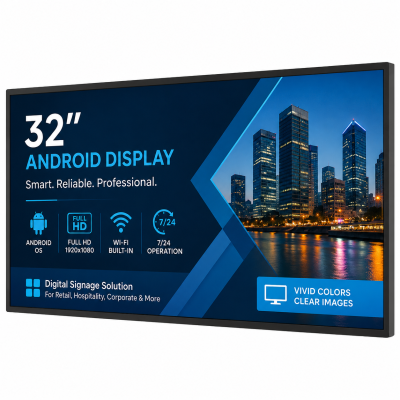
Dual 32″ Android Display
Unisign Android displays are not just screens—they are fully integrated smart signage solutions. Unlike basic Android monitors on the market, Unisign’s products are built with commercial-grade quality, optimized firmware for signage applications, and native CMS support that enables real-time content management without relying on third-party systems. Engineered for continuous 24/7 operation with advanced thermal management and robust components, Unisign displays deliver lasting performance and reliability. This makes them a future-proof investment for any professional signage network seeking smart, scalable, and dependable solutions.







Our wide LCD displays don’t just showcase visuals—they transform your content into a true experience. Designed for spaces where clarity, elegance, and durability matter most, these screens help your brand stand out effortlessly. Because when you’re face-to-face with your customer, every detail counts. Explore our available models today.
Frequently asked questions
What are the key specifications of Dual 32″ Android Display?
The model specification lists Resolution: 1920x1080; Brightness: 400 cd/m²; RAM: 2GB. Include the model code and selected screen size when ordering, as other options in the same series may have different specifications. Identify the required operating system and version, display orientation and media formats before selecting the hardware. State whether internet connectivity will be continuous or intermittent. An application launching on a device does not by itself confirm support for every peripheral or remote-management function. Testing sample content and the actual workflow helps establish hardware capacity and connection requirements. Check separately which software and licences are included in the order scope.
Will my application work with this Android display?
Compare the application’s Android version, memory, touch and network requirements with the hardware specification. Share the application name and required peripherals before ordering so compatibility can be checked. Identify the required operating system and version, display orientation and media formats before selecting the hardware. State whether internet connectivity will be continuous or intermittent. An application launching on a device does not by itself confirm support for every peripheral or remote-management function. Testing sample content and the actual workflow helps establish hardware capacity and connection requirements. Check separately which software and licences are included in the order scope.
What information is needed for a price quotation?
Share the model, quantity and installation location. Specify mounting, content playback or management software and any accessories separately so the hardware and service scope can be compared for your requirements. Consider the available installation space as well as the screen diagonal. A quotation request can include the intended task, daily operating hours, indoor or outdoor location and delivery destination. For multiple sites, list quantities and differing requirements separately so that model options can be compared. Identify any required connection or function that is not shown in the specification. This helps define a comparable equipment proposal rather than a screen price without the installation context.
How should content resolution be selected for Dual 32″ Android Display?
The model specification lists a resolution of 1920x1080. Prepare the content pixel dimensions and aspect ratio for this value; use a suitable layout rather than stretching artwork with a different shape. Check that text, prices and logos can be read from the intended viewing distance using sample content. Match the computer or media player’s video output settings to the display specification as well.
Which dimensions matter for mounting and cable planning?
Check the display dimensions, weight and any mounting pattern listed in the specification. The bracket load capacity must suit both the equipment and the mounting surface. Allow access to power and video cables, ventilation openings and maintenance points. Before installation, confirm that the chosen model supports the intended landscape or portrait orientation.
How should an order for several displays be planned?
List the screen size, ambient light and content source at each location. If the same model will be used across sites, check that mounting orientation, connections and operating conditions are suitable everywhere. For central content updates, identify the existing software and network. Compare quotations with hardware, media players, software licences and mounting listed separately.